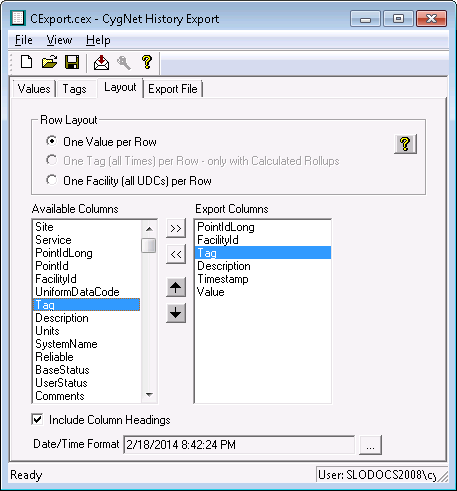
The Layout page specifies what fields to export and the export format. The fields listed in the Export Columns list are those that will be exported.
The following table lists and describes fields found on the Layout page of the CygNet History Export utility.
| Property | Description |
|---|---|
|
Row Layout |
Options are as follows:
Click |
|
Available Columns |
Select fields to add to the Export Columns list using the Add Column and Remove Column buttons. |
|
Export Columns |
The fields listed in the Export Columns list are those that will be exported. Use the Up and Down arrow buttons to reorder fields. |
|
Include Column Headings |
Click to Include Column Headings in the export file. |
|
Date/Time Format |
Click to select a format for the date/time and whether to include milliseconds. Click … to choose and/or customize a date/time format. |

|
|
|
 Show sample layout for row layout help.
